
Summary
Data integration in carbon accounting means pulling activity data from ERP, procurement, energy, travel, logistics and supplier systems into one consistent inventory. It matters because most emissions data sits in silos owned by different teams. Integrated data gives a complete, auditable footprint, shows hotspots and cuts the manual work of each reporting cycle.
By Amit Dhamane, Lead Solutions Engineer, Terrascope
Last updated: 23 October 2026
What is data integration in carbon accounting?
Data integration in carbon accounting is the process of combining emissions-relevant data from separate systems into one structure that can be matched to emission factors. It is the foundation of an accurate carbon accounting inventory.
A footprint needs fuel, electricity, purchasing, freight, travel, waste and supplier data. In a large company these sit in different systems, in different units and formats, managed by different teams. Integration brings them together, cleans them and keeps them up to date.
Why do data silos slow down carbon accounting?
Silos slow carbon accounting because the data you need is spread across systems no one team owns. Pulling it together by hand each year is slow, error-prone and hard to audit.
Silos show up as separate databases, disconnected applications such as ERP, CRM and HR systems, and teams that each hold part of the picture. The result is gaps, double counting and a footprint that is hard to repeat.
The pressure to fix this is rising. Almost two-thirds (63%) of the Forbes Global 2000 now have net zero targets (Net Zero Tracker, Net Zero Stocktake 2025). Yet in a 2024 survey of nearly 2,000 companies, only 9% said they comprehensively report Scope 1, 2 and 3 emissions (BCG and CO2 AI, September 2024). Scope 3, which relies most on scattered data, is usually the largest share: CDP and BCG found supply chain emissions averaged 26 times operational emissions among companies disclosing to CDP (CDP, June 2024).
Which data sources does carbon accounting need?
Carbon accounting draws on finance, operations and supply chain systems. The table shows the main sources and what each feeds.
| Data source | Typical system | Feeds | Common issues |
| Fuel and refrigerants | Facilities records, maintenance logs | Scope 1 | Refrigerant top-ups often missed |
| Electricity, heat, steam | Utility bills, meters, energy management systems | Scope 2 | Many sites, many suppliers, gaps in months |
| Purchased goods and services | ERP, accounts payable, procurement | Scope 3 Categories 1 and 2 | Spend only, no quantities; inconsistent categories |
| Freight and logistics | Transport management systems, carrier invoices | Scope 3 Categories 4 and 9 | Distance and weight missing |
| Business travel and commuting | Travel management, expense and HR systems | Scope 3 Categories 6 and 7 | Data held by third-party agencies |
| Waste | Waste contractor reports | Scope 3 Category 5 | Different units, partial coverage |
| Supplier emissions | Supplier surveys, CDP responses, product footprints | Scope 3 (supplier-specific) | Low response rates, mixed quality |
| Sold products | Sales, product and bill-of-materials data | Scope 3 Categories 11 and 12 | Use-phase assumptions not documented |
What are the benefits of integrated carbon data?
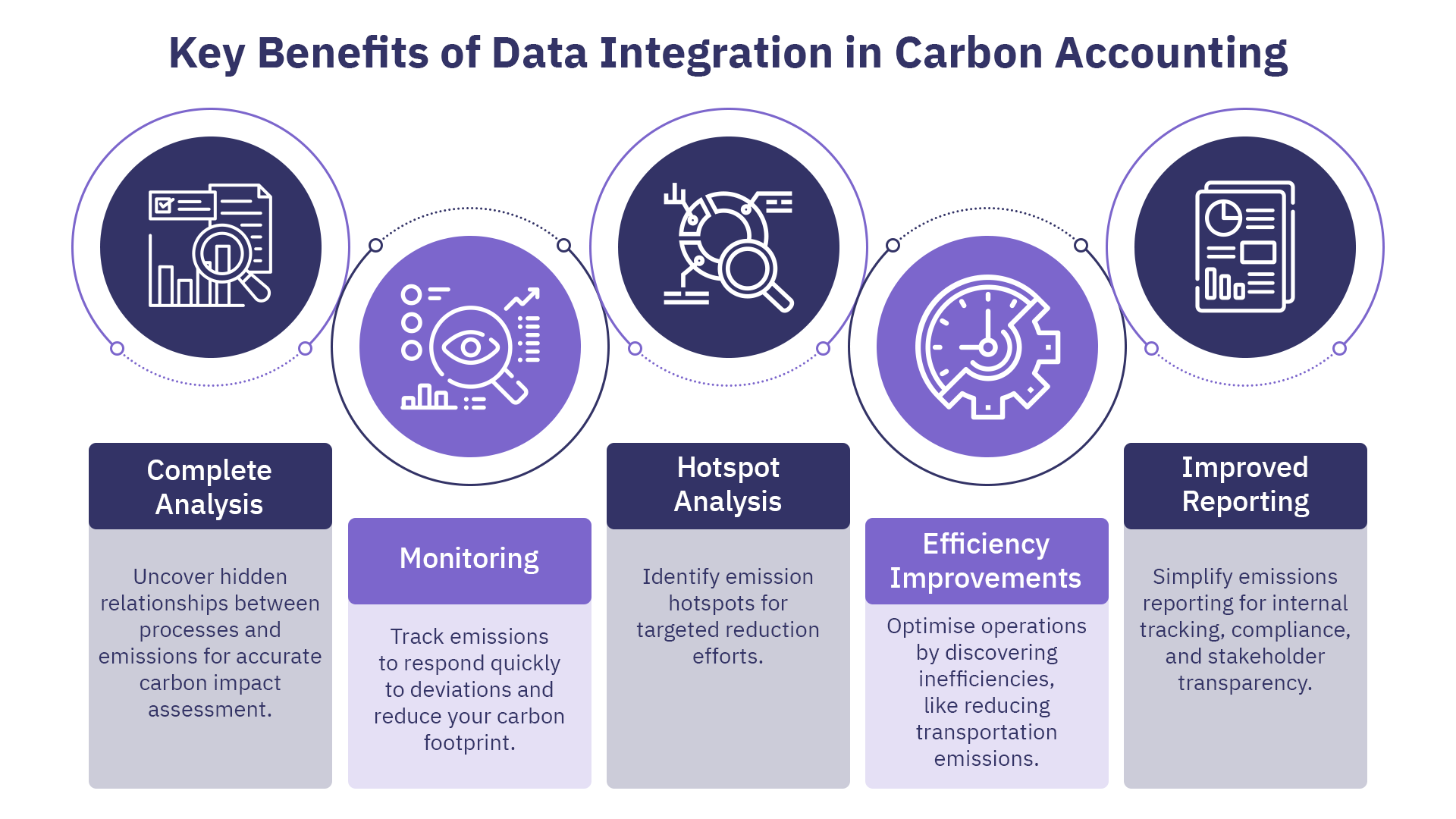
Integrated data gives you a complete, consistent footprint that is faster to update and easier to defend.
- Complete analysis. You can see how processes link to emissions, such as how fertiliser use, irrigation and yields together affect a farm's footprint.
- Ongoing monitoring. Regular data feeds let you track emissions through the year, not just at year end.
- Hotspot analysis. Sources that look small in one dataset can turn out to be large when combined.
- Efficiency gains. A full view of the supply chain shows savings, such as freight routes with high emissions and cost.
- Better reporting and assurance. One source of truth makes reports consistent and gives auditors a clear trail.
What makes carbon data integration hard?
The hard parts are data quality, access, technical fit and volume. Each needs a plan before you connect systems.
- Data quality and consistency. Different units, formats and levels of detail lead to wrong totals if not cleaned.
- Access. Some teams or third parties will not share data due to privacy, contracts or proprietary systems.
- Technical compatibility. Older systems may not have APIs or clean exports.
- Volume and complexity. Large companies generate millions of transaction lines, which spreadsheets cannot handle well.
How do you integrate carbon accounting data, step by step?
Start with the sources that drive most of your emissions, agree owners and definitions, then automate. Do not try to connect everything at once.
- Map your sources. List every system that holds emissions-relevant data and who owns it.
- Prioritise by materiality. Start with the largest emission sources. Our guide to assessing materiality shows how to rank them.
- Agree data definitions. Set common units, categories, sites and reporting periods across teams.
- Set governance. Name a data owner for each source and a review step before data is used.
- Automate the feeds. Connect ERP, energy and logistics data by API or scheduled export where possible.
- Keep an audit trail. Record where every number came from, which factor was used and any changes made.
- Improve each cycle. Replace estimates with better data as suppliers and systems mature.
What does integrated carbon data look like in practice?
Sime grew from about 3,000 to about 50,000 data points in its emissions inventory using Terrascope, with the same team. That is the kind of scale that integration makes possible without adding headcount.
At product level, Pokka used Terrascope to footprint 4,980 SKUs, a volume that only works with integrated product and bill-of-materials data. Read the Pokka case study.
How Terrascope helps integrate carbon accounting data
Terrascope's data management tools connect the systems that hold your emissions data and feed one inventory in the corporate carbon footprint platform.
- Connect your systems. Ingest ERP, procurement, energy, logistics and supplier data, and map it to categories and emission factors.
- Clean and check. Flag gaps, outliers and unit errors before they reach your totals.
- Trace every number. Each figure links back to its source line and factor, ready for assurance.
- Scale without more people. Handle growing data volumes as you add sites, suppliers and Scope 3 categories.
To estimate the time saved against manual collection, try the carbon accounting ROI calculator.
Want to see how your systems would connect? Talk to our team.
Frequently asked questions
What is data integration in carbon accounting? It is combining emissions-relevant data from systems such as ERP, utilities, procurement, logistics and supplier surveys into one consistent dataset, so it can be matched to emission factors and reported.
Why are data silos a problem for carbon accounting? Silos mean the data needed for a footprint is held by different teams and systems. Collecting it by hand is slow, causes gaps and double counting, and makes results hard to audit or repeat.
Can ERP data be used for carbon accounting? Yes. ERP spend and purchasing data is the usual starting point for Scope 3 spend-based estimates. Adding quantities, such as kilograms or units bought, makes the results more accurate.
Which data matters most for Scope 3? Purchased goods and services data is usually the most important, as it is often the largest Scope 3 category. Freight, sold products and supplier-specific data follow, depending on your sector.
How do you improve carbon data quality? Agree common units and definitions, name owners for each data source, check for gaps and outliers before calculating, and replace estimates with activity or supplier data for your largest sources over time.